 |
www.nfed.co.uk Connecting the central southern equestrian community since 1999 |
||||
Home >Shop Front > FAQs
|
|||||
|
www.nfed.co.uk Connecting the central southern equestrian community since 1999 |
||||
Home >Shop Front > FAQs
|
|||||
| NFED Payments Help & Frequently Asked Questions | ||||||||||||||||||||||||
|
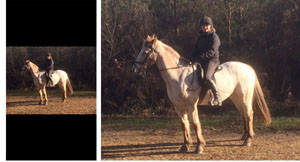
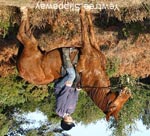
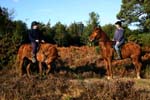
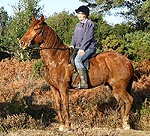
Photo EditingGood photos make a huge difference to an advert and really help catch a viewer’s attention, so it’s worth taking a little time to get them right. All NFED Classified adverts accept up to four images in jpg, bmp, png, or gif format. Other formats — including tiff, heic, pdf, Word documents, or video files — are not supported and may cause problems. Large image files will take longer to upload, depending on your connection speed. A strong Wi‑Fi or 4G connection helps avoid timeouts. EXIF data is used to ensure images display the correct way up; editing photos can remove this information, which may result in sideways or inverted images. The ideal image is a jpg with a maximum longest side of 960px. Larger images will be resized automatically, but the upload will take longer. Tips for better photos
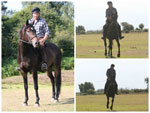
Improving your images Cropping helps focus attention on the important part of the photo. Dark images can be brightened, colours adjusted, and photos rotated or sharpened. Most phones and tablets now include built‑in editing tools, and there are many apps available if you prefer more control. Always save edited images as new jpg files before uploading. Compilation images can be created from several photos, and you can add text to individual images if you wish. The advert heading appears under all photos, but adding text to the images themselves can help highlight key details.
You can change your photos at any time by logging in and updating your advert. If the new images don’t appear immediately, refresh the page or clear your browser history. To upload your photo
Photo EditingGood photos make a huge difference to an advert and really help catch a viewer’s attention, so it’s worth taking a little time to get them right. All NFED Classified adverts accept up to four images in jpg, bmp, png, or gif format. Other formats — including tiff, heic, pdf, Word documents, or video files — are not supported and may cause problems. Large image files will take longer to upload, depending on your connection speed. A strong Wi‑Fi or 4G connection helps avoid timeouts. EXIF data is used to ensure images display the correct way up; editing photos can remove this information, which may result in sideways or inverted images. The ideal image is a jpg with a maximum longest side of 960px. Larger images will be resized automatically, but the upload will take longer. Tips for better photos
Improving your images Cropping helps focus attention on the important part of the photo. Dark images can be brightened, colours adjusted, and photos rotated or sharpened. Most phones and tablets now include built‑in editing tools, and there are many apps available if you prefer more control. Always save edited images as new jpg files before uploading. Compilation images can be created from several photos, and you can add text to individual images if you wish. The advert heading appears under all photos, but adding text to the images themselves can help highlight key details.
You can change your photos at any time by logging in and updating your advert. If the new images don’t appear immediately, refresh the page or clear your browser history. To upload your photo
|
||||||||||||||||||||||||
www.nfed.co.uk
Connecting the central southern equestrian community.